> ## Documentation Index
> Fetch the complete documentation index at: https://docs.zaymo.com/llms.txt
> Use this file to discover all available pages before exploring further.
# Reactivate
> Help customers reactivate cancelled subscriptions from email
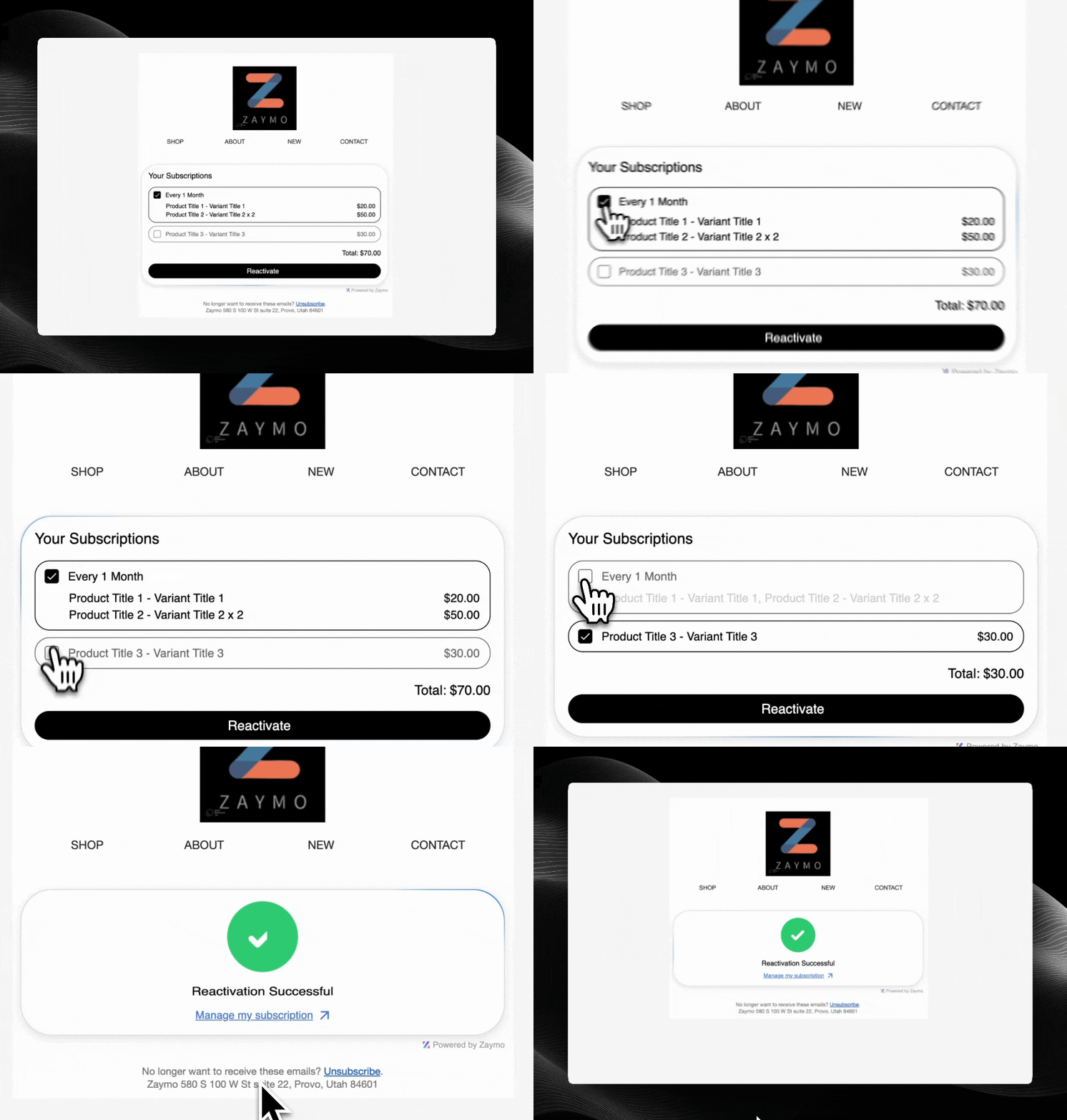
The Reactivate widget makes it easy for customers to reactivate cancelled subscriptions directly from email.
 ## How It Works
1. Former subscriber receives an email with reactivation offer
2. Customer views their cancelled subscription details
3. Customer clicks to reactivate their subscription, potentially with a special offer
4. Subscription is reactivated without leaving the email
## Required Endpoints
| Endpoint | Purpose | Required |
| ------------------------------------------------------------------------------------------------ | --------------------------------------- | -------- |
| [Get Cancelled Subscriptions](/api-reference/reactivate/get-cancelled-subscriptions) | Retrieve cancelled subscription details | Yes |
| [Reactivate Cancelled Subscription](/api-reference/reactivate/reactivate-cancelled-subscription) | Process subscription reactivation | Yes |
## Getting Started
Ready to implement the Reactivate widget? This is perfect for win-back campaigns to re-engage former subscribers.
Explore our API documentation
Learn how to authenticate your API requests
## How It Works
1. Former subscriber receives an email with reactivation offer
2. Customer views their cancelled subscription details
3. Customer clicks to reactivate their subscription, potentially with a special offer
4. Subscription is reactivated without leaving the email
## Required Endpoints
| Endpoint | Purpose | Required |
| ------------------------------------------------------------------------------------------------ | --------------------------------------- | -------- |
| [Get Cancelled Subscriptions](/api-reference/reactivate/get-cancelled-subscriptions) | Retrieve cancelled subscription details | Yes |
| [Reactivate Cancelled Subscription](/api-reference/reactivate/reactivate-cancelled-subscription) | Process subscription reactivation | Yes |
## Getting Started
Ready to implement the Reactivate widget? This is perfect for win-back campaigns to re-engage former subscribers.
Explore our API documentation
Learn how to authenticate your API requests