> ## Documentation Index
> Fetch the complete documentation index at: https://docs.zaymo.com/llms.txt
> Use this file to discover all available pages before exploring further.
# Product Upsells
> Allow customers to purchase products directly from email
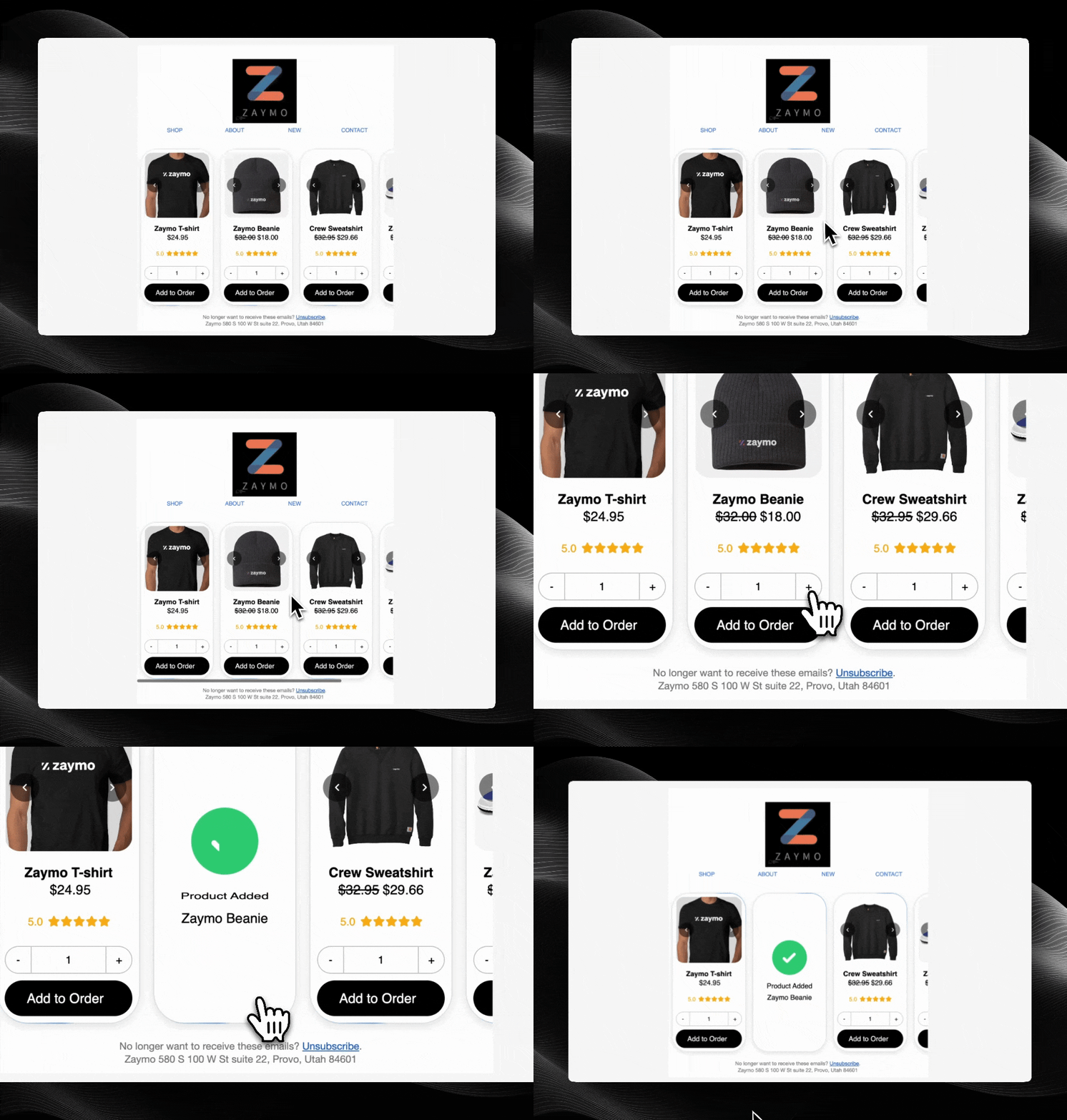
The Product Upsells widget allows customers to purchase products or add them to subscriptions directly from an email with just one click, without ever leaving their inbox.
 ## How It Works
1. Customer receives an email with an embedded product block
2. Customer selects a product and clicks to purchase
3. The product is instantly purchased or added to their subscription
4. Customer receives confirmation without ever leaving their email
## Required Endpoints
| Endpoint | Purpose | Required |
| ----------------------------------------------------------- | -------------------------------------------------------- | -------- |
| [Get Products](/api-reference/upsells/get-products) | Retrieve product information to display in email | Yes |
| [Add Product](/api-reference/upsells/add-product) | Process the customer's purchase or subscription addition | Yes |
| [Undo Add Product](/api-reference/upsells/undo-add-product) | Remove a product that was previously added | No |
## Getting Started
Ready to implement Product Upsells? This widget typically provides the quickest path to value for most businesses.
Explore our API documentation
Learn how to authenticate your API requests
## How It Works
1. Customer receives an email with an embedded product block
2. Customer selects a product and clicks to purchase
3. The product is instantly purchased or added to their subscription
4. Customer receives confirmation without ever leaving their email
## Required Endpoints
| Endpoint | Purpose | Required |
| ----------------------------------------------------------- | -------------------------------------------------------- | -------- |
| [Get Products](/api-reference/upsells/get-products) | Retrieve product information to display in email | Yes |
| [Add Product](/api-reference/upsells/add-product) | Process the customer's purchase or subscription addition | Yes |
| [Undo Add Product](/api-reference/upsells/undo-add-product) | Remove a product that was previously added | No |
## Getting Started
Ready to implement Product Upsells? This widget typically provides the quickest path to value for most businesses.
Explore our API documentation
Learn how to authenticate your API requests